Instacart: Get Food Delivery
- 4.7
- Rating
- 10.00M
- Installs
- Free
- Price

 Analysis by App-foxy
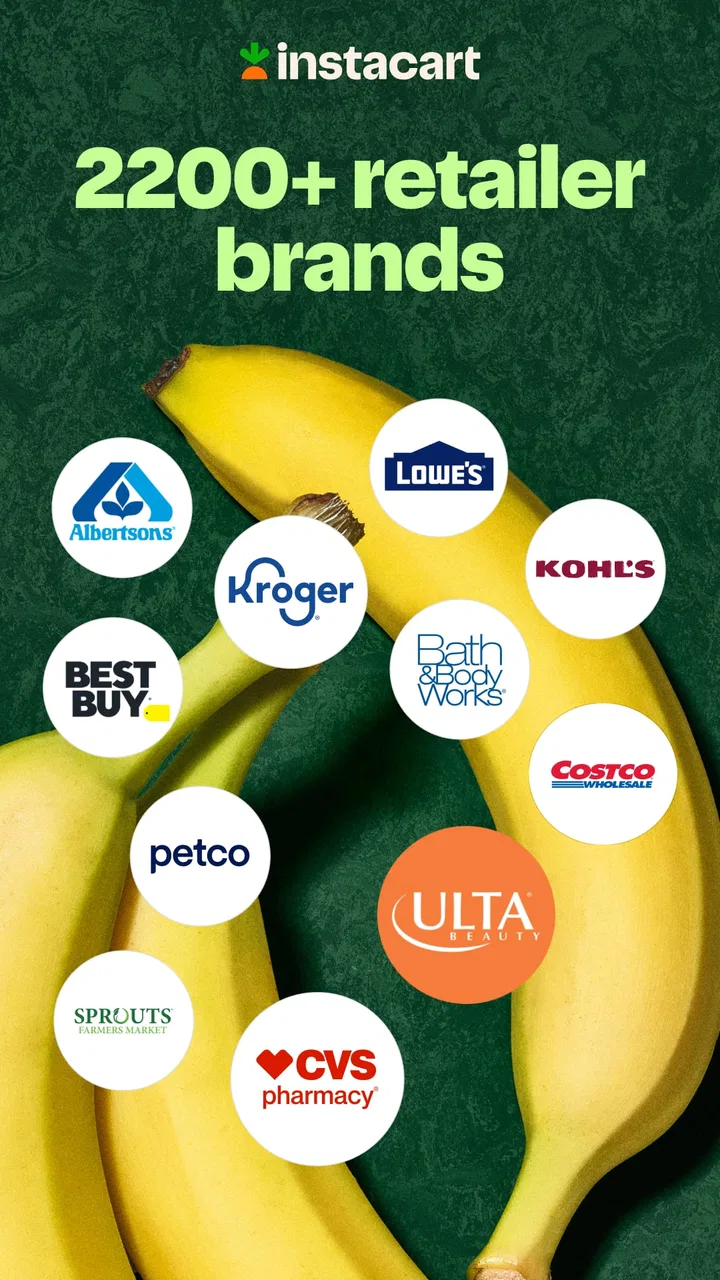
I use grocery delivery apps when the real problem is not choosing dinner, but finding the time and energy to leave home, walk through a store, wait in line, and carry everything back. Instacart: Get Food Delivery is built for that exact situation. It is a free Food & Drink app from Instacart that brings grocery and retail ordering into one mobile shopping experience, with products from more than 1,800 store brands available for delivery to your door.
My overall impression is positive, but not blindly enthusiastic. The app is convenient, especially for a planned weekly shop, a last-minute ingredient, or a household that cannot easily get to a store. At the same time, delivery shopping asks you to make several decisions about substitutions, timing, account details, and personal information. The best experience comes from treating it as a service that needs a little supervision rather than as a completely hands-off replacement for shopping in person.
What using Instacart feels like in everyday life
The first thing I noticed is that the app is less about discovering food and more about completing a practical errand. I can search for familiar products, browse departments, compare available options, and build a basket without planning a route through a supermarket. That makes the app particularly useful when I already know what I need. Searching for milk, vegetables, breakfast items, cleaning supplies, or a specific pantry product is much faster than visiting several aisles.
You May Also Like

 Pandora - Music & Podcasts
Pandora’s Music Is Easy to Start, but Harder to Recover
Pandora’s strength is its low-effort path from a seed to a station. Its weak spot is how much confidence it asks you to place in connection, setup, and quiet recovery.

 8 Ball Pool
 Is Built on Rivalries, Rematches, and Routine
A close look at the rivalries, rematches, shared routines, and unanswered safety questions that turn a quick pool match into a persistent mobile community.

 Samsung Music
’s Quiet Strength Is Playing What You Already Own
Its reach comes less from spectacle than from dependable access to a personal library. That simplicity is both the app’s strongest retention engine and its ceiling.

 AccuWeather: Weather Radar
AccuWeather Review: A Quick, Clear Forecast for Everyday Decisions
For everyday plans, the best forecast is the one you can understand quickly. AccuWeather makes rain timing, radar, and local conditions easy to act on, with a few trade-offs.

 Hill Climb Racing
Why Hill Climb Racing Still Turns Crashes Into One More Run
A tiny car, a bumpy hill and one more upgrade: Hill Climb Racing keeps resurfacing because its simple chaos makes every near-miss feel personal.

 AliExpress - Shopping App
AliExpress Makes Global Shopping Feel Personal, but Shoppers Bear the Risk
AliExpress turns a global marketplace into a pocket-sized discovery engine. Its reach is useful, its shopping loop compelling, and its trade-offs easy to miss.
More From Our News Desk
View All News


The broad selection also changes how I think about delivery. This is not limited to restaurant meals arriving ready to eat. It is intended for groceries and retail purchases, so I can use it for the ingredients behind several meals, replenishment items for the home, or a small emergency shop. That wider purpose is one of its strongest differences from a restaurant-focused delivery service.
In a realistic weekday example, I might realize after work that I am missing vegetables, coffee, and a few household basics. Instead of making a separate trip while tired, I can assemble the order from home, review the basket, and arrange delivery. The convenience is most noticeable when the alternative is not another app but postponing the errand entirely.
That convenience does not remove the need to check the basket carefully. Product names can look similar, package sizes may differ, and an apparently inexpensive item can become less attractive when I compare the quantity with another option. I recommend checking size, count, flavor, and brand before placing the order, especially when search results show several versions of the same product.
A useful alternative to the usual shopping routine
Compared with walking into a supermarket, Instacart saves physical effort and travel time, but I lose some of the visual certainty that comes from holding a product and checking the shelf myself. Compared with ordering from a restaurant, it gives me more control over what I cook and what I keep at home, although the process requires more planning. Compared with a store’s own online ordering system, its multi-brand approach can be more convenient when I want to look across different retailers from one place.
That last advantage is also a trade-off. A broad marketplace can make comparison easier, but it can also encourage me to browse longer than necessary. If I begin without a list, the app can turn a simple grocery run into a larger decision-making session. I get the best results when I prepare a short list first and use the app to execute it rather than relying on endless browsing.
Instacart is available at no charge, and its age rating is Everyone, which makes it approachable for a wide range of households. The app has been available since May 1, 2014, and its current version is 8.97.3. It runs on devices using Android 7.0 or later. Those details matter if I am installing it on an older phone, because compatibility is part of the practical decision even when the app itself is free.
Where trust begins: the account and order journey
For me, trust starts with whether I can understand what I am doing at each step. A delivery app handles more than a shopping list: it connects an account with an address, an order, delivery instructions, and payment decisions. I therefore pay attention to the screens where the app asks me to sign in, confirm details, or move from browsing to purchasing.
I prefer entering information only when it is needed for the order I am trying to place. That means reviewing the account details before shopping, checking the delivery address before checkout, and avoiding the habit of leaving old addresses or outdated instructions attached to my profile. These are simple controls, but they reduce the chance of sending an order to the wrong place or relying on instructions that no longer apply.
The app’s popularity provides some context for its reach: it has passed 10 million installs, with an average rating of 4.1 from around 309,000 ratings and roughly 136,000 written reviews. I do not read those figures as a guarantee that every order will be smooth. Delivery quality can depend on local store availability, the selected retailer, the shopper, and the condition of the items. Still, the scale suggests that this is an established service rather than an obscure experiment.
Instacart is developed by Instacart, and the name is easy to recognize throughout the experience. That clarity is useful when I am checking whether I have installed the intended app, but I still prefer downloading software through the official app marketplace and reviewing the publisher shown there. Trust is not just about a familiar name; it is also about making sure the account and app I am using are the ones I intended to use.
Permissions, privacy, and the moments that deserve attention
When I evaluate a shopping app, I do not assume that a permission is harmless simply because the app is convenient. I look at the permission prompt when it appears and ask whether the request makes sense for the action I am taking. A delivery service may need information connected with fulfilling an order, but I still want to understand what I am approving rather than accepting every request automatically.
The most data-sensitive moments are usually obvious: creating or signing into an account, entering a delivery location, adding payment information, and confirming an order. I slow down at those points. I check that the address is correct, read the checkout summary, and make sure the selected store and items match my intention. A few seconds of review can matter more than quickly adding another product to the basket.
I also avoid treating the app as a private notebook for unnecessary personal details. Delivery instructions should be useful and specific, but I would not add information that has nothing to do with receiving the order. If a note can be written in a simple way without revealing extra personal context, that is my preferred approach.
Notifications deserve similar attention. Order updates can be genuinely helpful, particularly when timing changes or an item needs a decision. However, I do not want every promotional message to compete with important delivery information. I review notification choices on my device and keep the alerts that help me manage an active order. This gives me a better signal-to-noise balance without confusing marketing with essential service communication.
I am careful not to confuse a free download with a completely cost-free shopping experience. The app itself does not require a purchase to install, but an order is a financial transaction. Before confirming, I review the total shown in the checkout flow and consider whether delivery is worthwhile for the size of the basket. For a very small order, the convenience may not feel proportional to the overall cost. For a larger planned shop, the time saved can make more sense.
How I manage substitutions instead of leaving the basket unattended
Substitutions are one of the most important practical issues in grocery delivery. A product that looks available while I shop may not be on the shelf when the order is picked. If I ignore that possibility, I may receive an alternative that is technically similar but wrong for my recipe, diet, budget, or household preference.
My approach is to think ahead about sensitive items. For ingredients that must be a particular type, size, or brand, I make the preference clear through the choices available during ordering. For flexible items, I decide what kind of replacement would still be useful. This is especially important for baking ingredients, allergy-sensitive products, baby supplies, and anything needed for a specific meal.
I also pay attention during the shopping stage instead of assuming the order is finished once I press the button. If the app presents a request for a replacement decision, I treat it as part of the service rather than an interruption. Responding promptly can prevent an unwanted product from arriving, while ignoring the message may leave the shopper with less guidance about what I actually want.
This is a genuine trade-off compared with shopping in person. In a store, I can immediately choose the closest alternative or visit another aisle. With delivery, I gain convenience but must communicate my priorities clearly and remain reachable when the order is being prepared. If I am unavailable for the entire shopping window and the order contains many specialized items, the experience may be less predictable.
Building a reliable weekly workflow
The app works best for me when I separate planning from impulse buying. I start with meals, household needs, and items that are running low. Then I search for those products and review the basket as a group. This makes it easier to notice that I have selected duplicates, forgotten a staple, or chosen a package that is smaller than expected.
A second useful habit is grouping the order by importance. Items needed for tonight’s dinner go at the top of my mental checklist, while optional snacks or non-urgent supplies can wait. If availability changes, I know which products deserve a substitution decision and which ones I can simply remove. This reduces the frustration of handling every item as though it has equal importance.
I also use the basket review as a budget checkpoint. I look at quantities rather than only individual prices, because a large package may be better value for one household and wasteful for another. Delivery is not automatically the cheapest way to shop, so I compare the convenience against the size and urgency of the order. That is a more realistic comparison than looking only at the app’s free installation.
For recurring shopping, I prefer making a fresh review instead of blindly repeating a previous basket. Household needs change, products go out of stock, and a replacement that was acceptable once may not be right next time. Rechecking the order takes longer than tapping through a saved routine, but it gives me more control over what actually arrives.
Who should use it, and who may be happier elsewhere?
I would recommend Instacart to people who value time and access more than the ritual of visiting a store. It is a strong fit for busy households, people managing a full schedule, anyone recovering at home, and shoppers who need groceries from a retailer that is inconvenient to reach. It can also help when a small errand would otherwise become a major disruption to the day.
It is less appealing for someone who enjoys inspecting produce personally, wants the lowest possible shopping total every time, or lives close enough to a store that the trip is easy. A person with strict preferences about freshness may prefer choosing items directly. Likewise, someone who dislikes monitoring messages during an order may find substitutions and availability decisions frustrating.
I would also think twice before using it for a highly specialized shop unless I am prepared to check every product and respond to changes. The wider the list of exact requirements, the more important it becomes to stay involved. For a simple basket of familiar goods, the app feels efficient. For a complicated list where every item must be exact, an in-person visit or a retailer workflow with more direct control may be better.
My cautious verdict after weighing convenience against control
Instacart: Get Food Delivery succeeds because it removes the travel and waiting involved in ordinary grocery shopping while covering more than restaurant meals. Its selection across grocery and retail brands makes it useful for complete household errands, not just one prepared dish. I find it most valuable when I have a clear list, a realistic delivery need, and enough time to review the order rather than treating it as a completely automatic process.
My main reservation is not that the app is difficult to understand; it is that convenience can encourage rushed decisions. Addresses, substitutions, notifications, payment details, and checkout totals all deserve a quick look. The app gives me a practical way to shop remotely, but I still need to use the controls deliberately. The safest and most satisfying workflow is active, informed, and selective rather than passive.
With a 4.1 average and a large installed user base, it is a credible option to try, especially because the app is free and supports older Android devices beginning with version 7.0. I would install it for planned grocery delivery, household replenishment, or a day when leaving home is genuinely inconvenient. I would skip it when I can shop quickly in person, need to inspect every item myself, or am trying to minimize every extra cost. For the right situation, it is a useful bridge between a traditional supermarket trip and the immediacy of restaurant delivery.
FAQs for Instacart: Get Food Delivery
01What is Instacart and how does it work?
Instacart is an app that provides grocery delivery and pick-up services. Users can browse products from local stores, add items to their cart, and choose a delivery or pick-up time. A personal shopper then fulfills the order, making grocery shopping convenient and efficient without leaving home.
02How do I pay for my groceries on Instacart?
Instacart accepts various payment methods, including major credit and debit cards. Users can securely store their payment information in the app for seamless transactions. Additionally, some stores offer the option to use store-specific loyalty cards for discounts and promotions during checkout.
03Are there any fees associated with using Instacart?
Yes, Instacart charges a delivery fee, which varies based on the size of the order and chosen delivery time. There’s also a service fee that helps cover operational costs. Users can opt for an Instacart Express membership, which offers free delivery on orders over a certain amount for a monthly or annual fee.
04Can I use Instacart for more than just groceries?
Absolutely! Instacart partners with a variety of local retailers, allowing users to shop for items beyond groceries, such as household essentials, pet supplies, and even alcohol where permitted. This makes it a versatile solution for many of your shopping needs.
05Is the Instacart app user-friendly for first-time users?
Yes, Instacart is designed to be intuitive and easy to navigate. New users will find a straightforward sign-up process, a simple search function to find products, and easy-to-follow steps for placing orders. Additionally, customer support is available to assist with any questions or issues.
Pros
- Wide variety of grocery stores available.
- User-friendly interface simplifies shopping.
- Real-time order tracking feature included.
- Option to schedule deliveries in advance.
- Loyalty cards can be linked for discounts.
Cons
- Service fees can be higher for small orders.
- Availability depends on location.
- Occasional item substitutions without notice.
- Minimum order requirements may apply.
- Some stores have limited delivery hours.

Instacart: Get Food Delivery
Gallery